Edit a client's site by describing the change.
One sentence in. Live on the site in under five minutes.
0:00
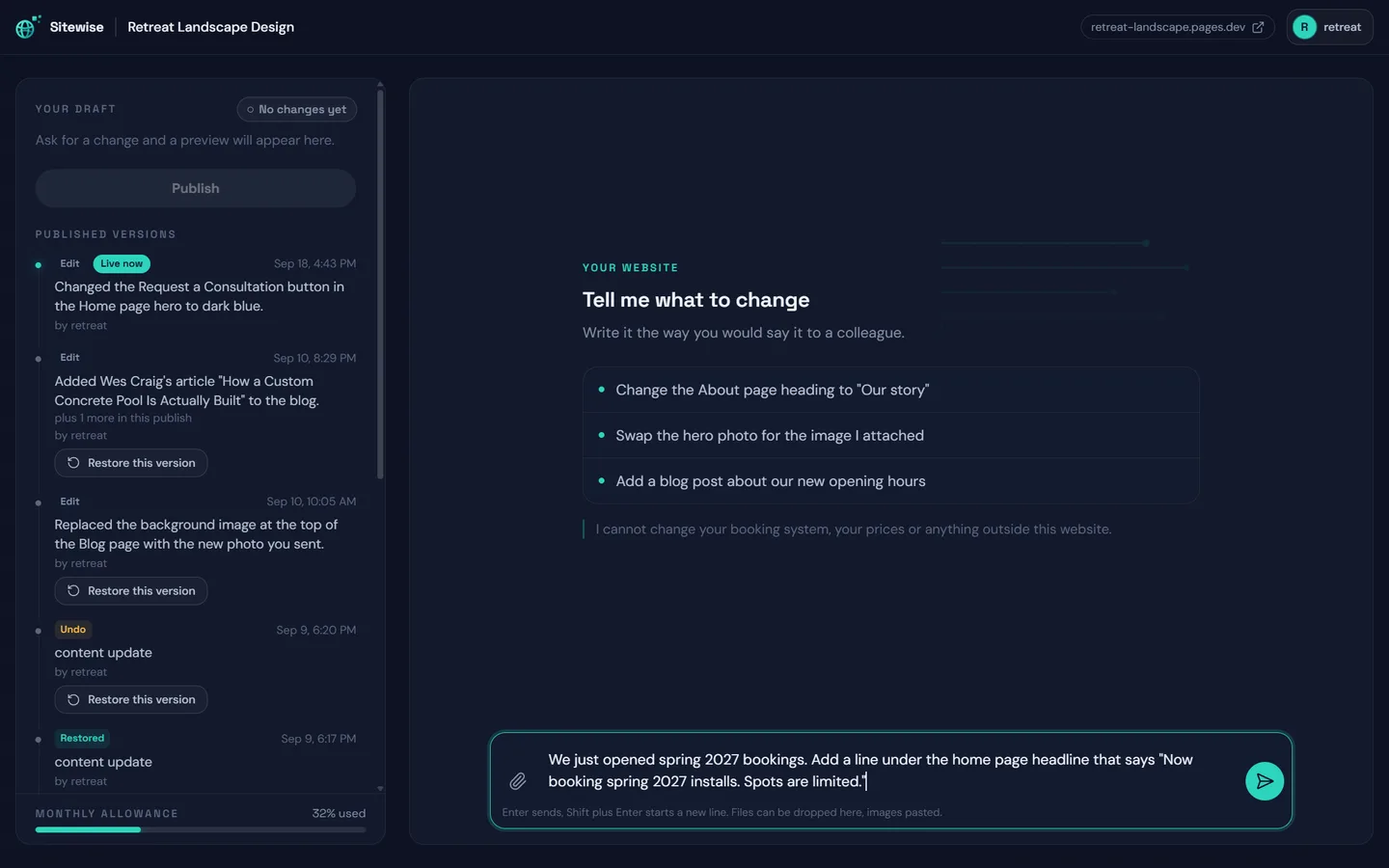
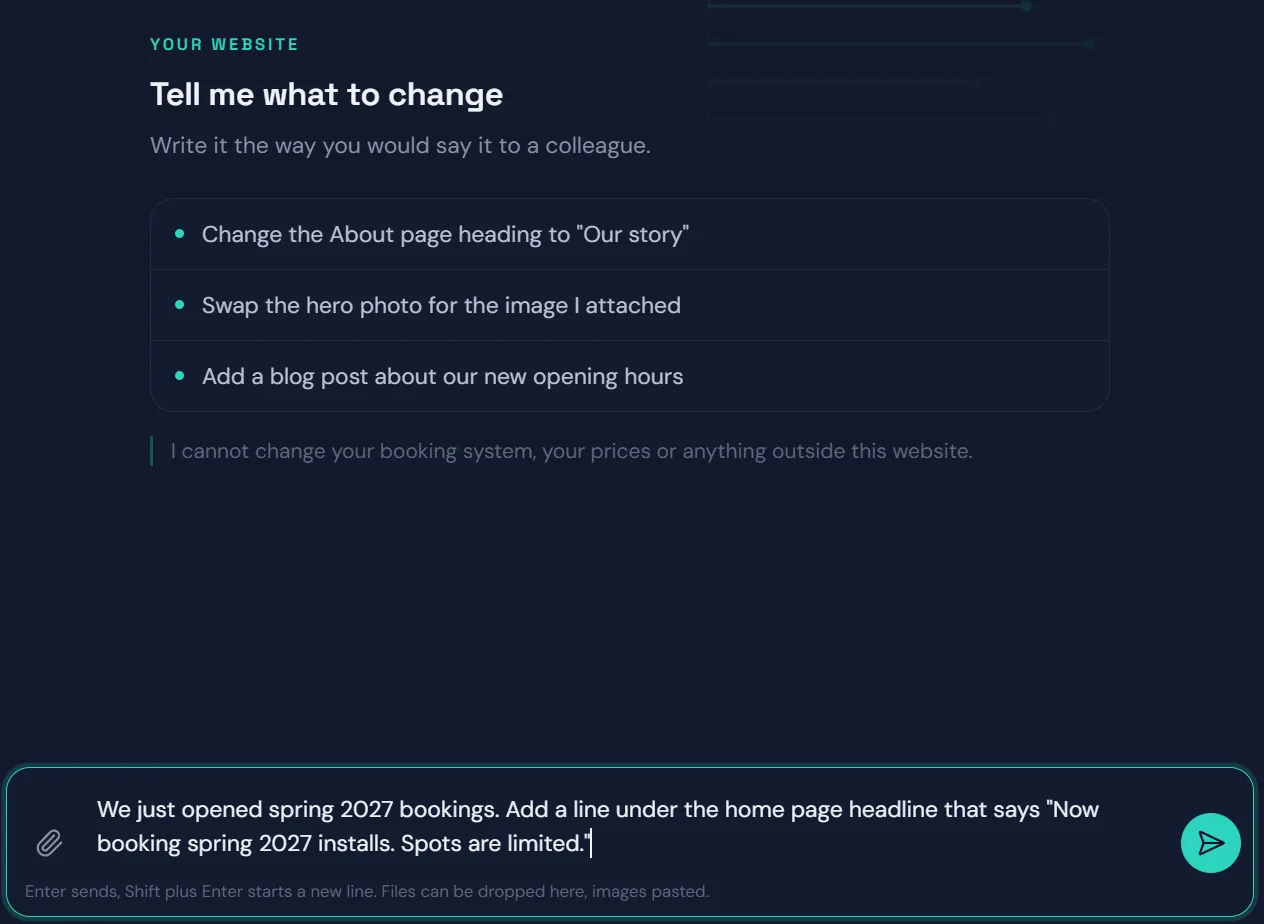
You ask, in plain English
Type it the way you would say it to a colleague. No dashboard to learn, no fields to find, no page tree to dig through.
0:30
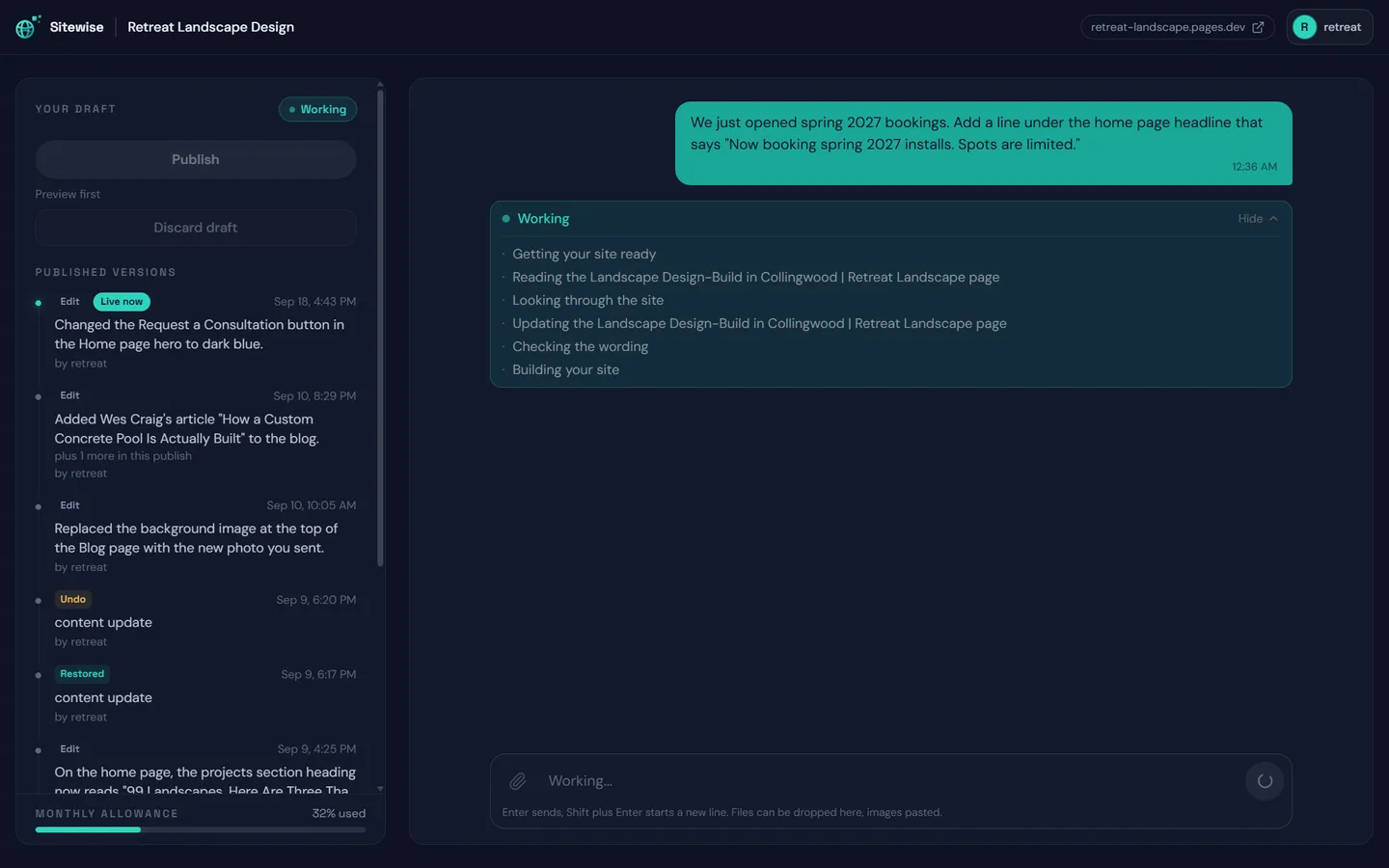
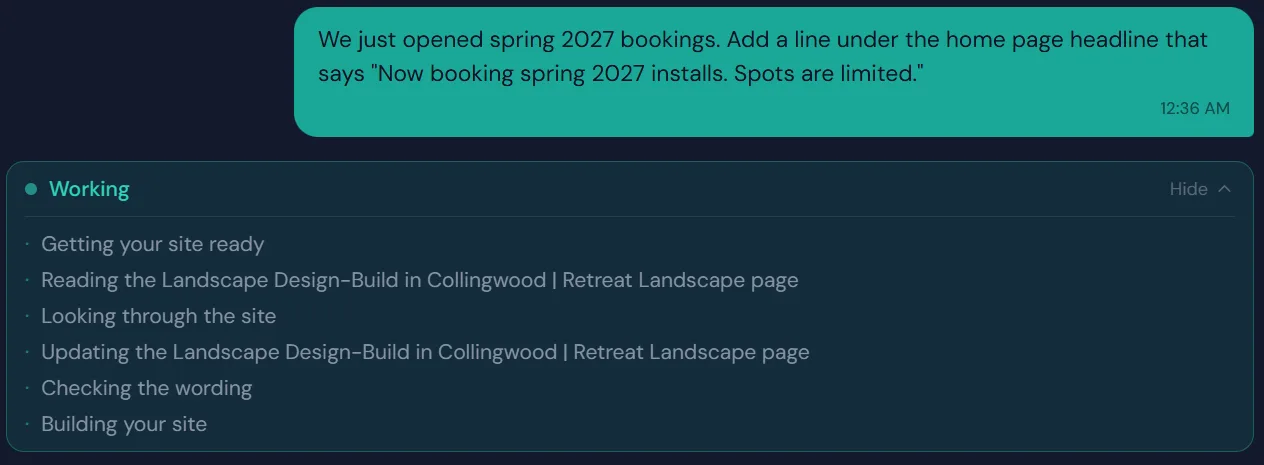
It works through the site while you watch
It reads the page, finds the right spot, makes the change, checks the wording and builds a private copy of the whole site. Every step shows up as it happens.
2:39
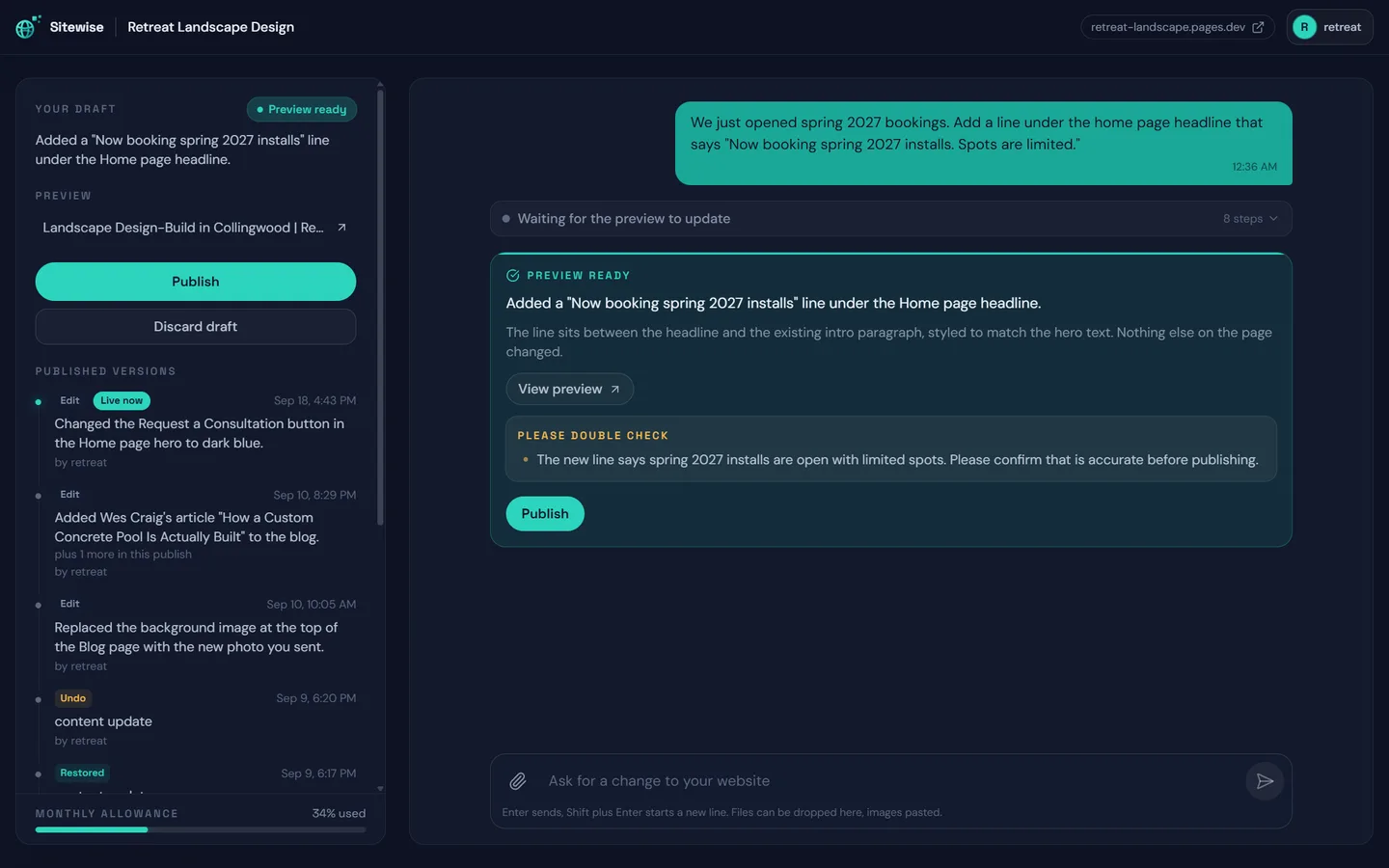
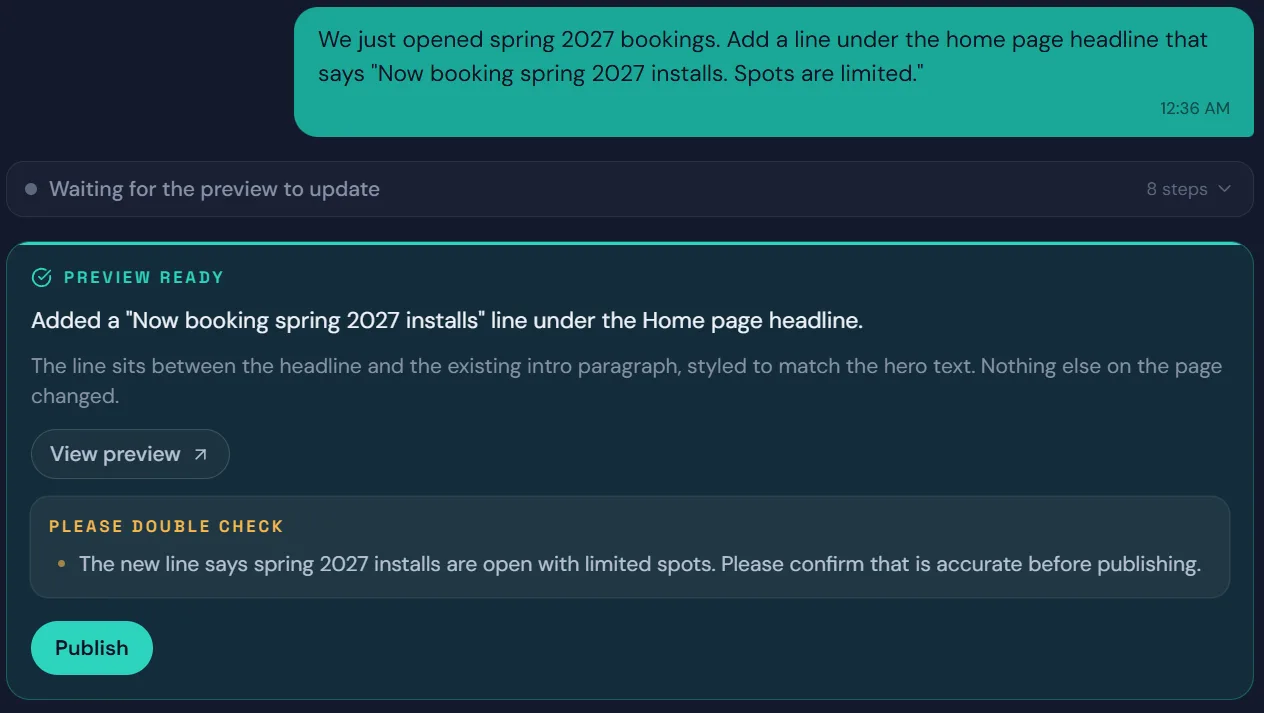
A preview, and a second pair of eyes
You get a plain-English summary of what changed, a link to the whole site with the change in it, and a note on anything worth checking before it goes live. Here it flagged the new booking claim.
Publish
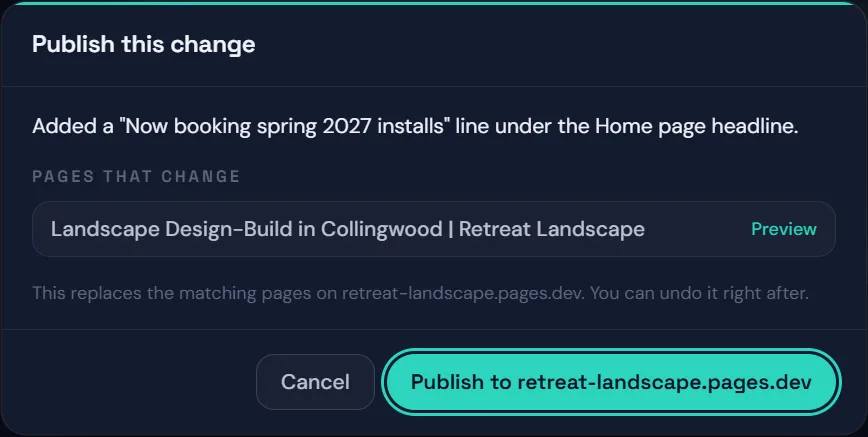
You decide when it goes live
The confirm button names the real site and lists every page that changes. Nothing reaches the live site until you press it.
+1:33
Live, with undo one click away
The change is on the real site and at the top of the version history, with Undo this publish right under it. Every earlier version stays one click from coming back.
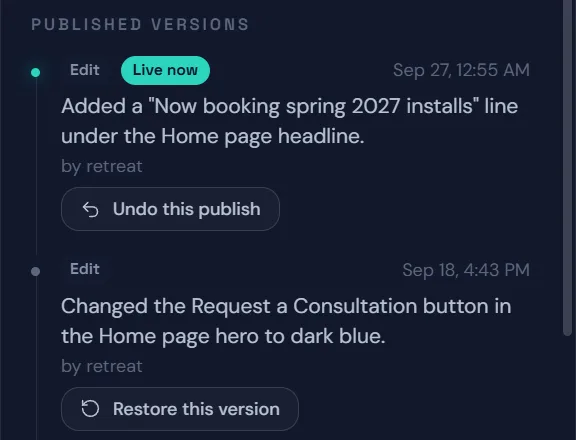
Same site. One sentence later.


White-label vendors give you a ticket number. Our partners get this.
A typical white-label vendor
- Your client emails you a change
- You forward it and open a ticket
- You wait out "two business days"
- You chase it, then check it
- You explain the wait to your client
A SiteWise partner
- Your client emails you a change
- You type it into the editor
- You see the whole site with it, minutes later
- You press Publish
- You reply "done" the same hour
Paste a post. It handles everything around it.
Your words, used as written
Paste your own post and it keeps your sentences. It tidies punctuation, splits walls of text, and adds short headings taken from your own lines.
Or hand it your notes
Ask for a draft in the site's voice. It will not invent a number, a price or an award, and anything like that in what it writes is flagged for you to check.
Everything around the post
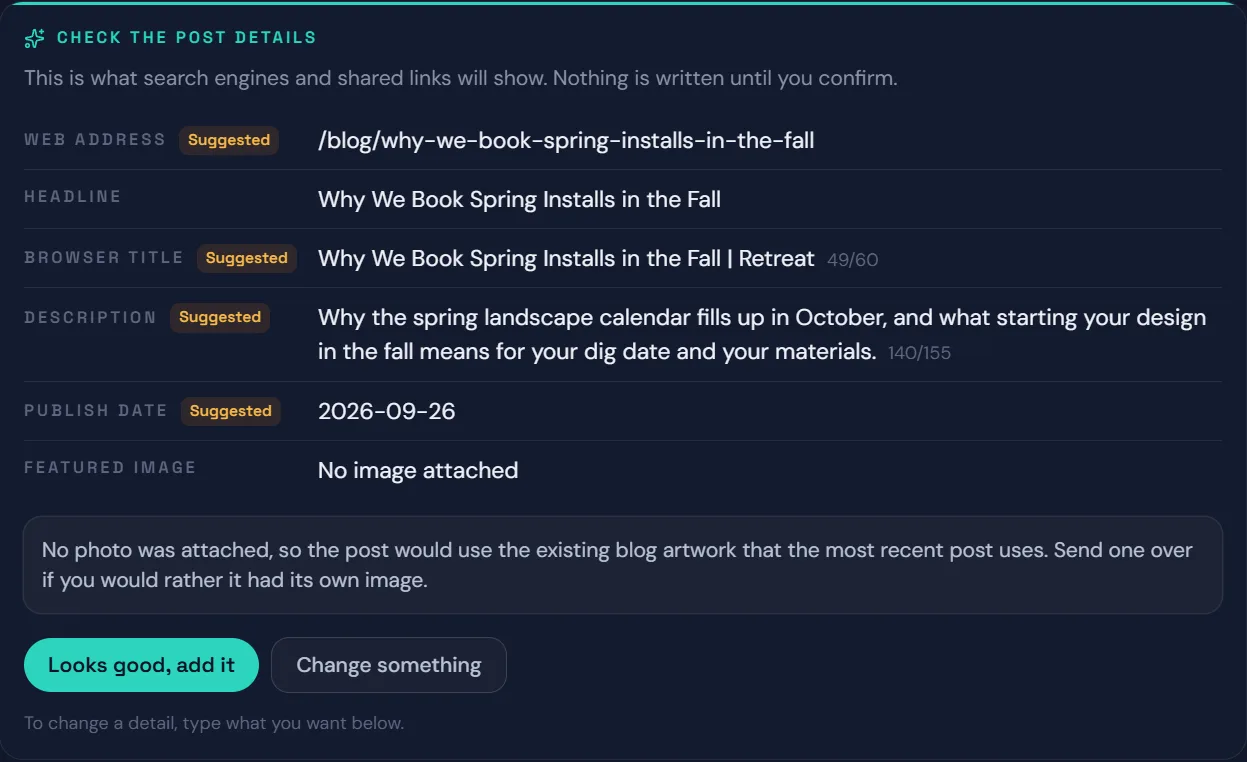
Web address, search title, description, date, reading time and featured image are filled in, and you confirm them before anything is written.
The kind of thing partners ask it.
- Add a question to the FAQ: do you work through the winter?
- Swap the photo in the second project for the one attached
- Make the Request a Consultation button dark blue
- Tighten the intro paragraph on the About page
- Change the home page headline to Garden Design-Build in Collingwood
- Add one more testimonial from the review I pasted
- Here are my notes on our new patio service. Draft a blog post from them.
- Point the Portfolio button at the new gallery
- Make the Services heading a little smaller
It cannot break the site. We made sure.
- Forms, and where inquiries are sent
- Tracking and analytics
- The menu, header and footer
- New pages, new sections and layout
- Code of any kind
Preview first
Every change starts as a private copy of the whole site that only you can see.
You press Publish
It cannot publish on its own. The button names the real site before you press it.
Undo for seven days
The latest publish comes back out with one click, until you publish again.
Restore any version
Every published version is listed with who made it, and any of them can go back live.
In beta, and already in use on real sites. The list of things it can change is still growing, and some older sites carry extra limits, so there it edits only a few pages at a time. It is included with website management, and nothing about your plan depends on using it.
What partners ask before they use it.
No. This is your tool, not theirs. Your client never touches a SiteWise system and never sees our name, which is the same rule that governs everything else we do. Changes they ask for still come to you, and you decide whether to make them yourself or send them to us.